
By LumionVietnam · Documentation checked 25 October 2026
A night view must explain a building after daylight stops doing the work. The entrance needs to remain readable, exterior lighting should have a purpose, and glass should reveal enough of the interior without becoming a white rectangle. Twinmotion 2026.2 Preview revises the sky and moon system. The useful question is whether it helps those decisions in your project.
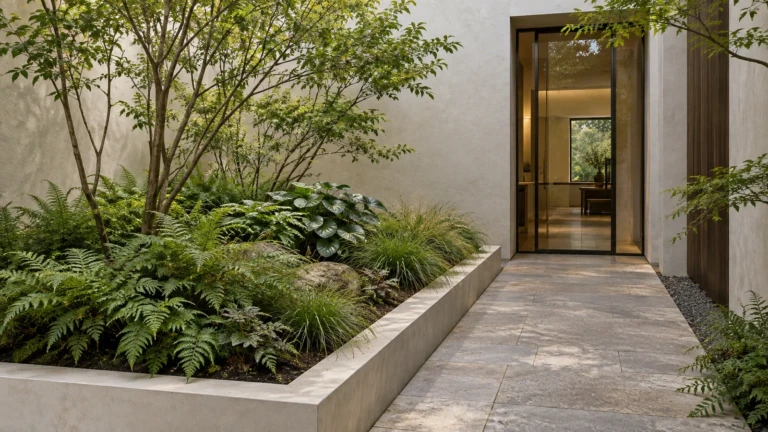
Featured image: Original LumionVietnam AI-assisted editorial artwork. Conceptual illustration, not a software screenshot, verified project, benchmark or actual software output.
What changed—and who benefits
The revised Dynamic sky includes a Realistic mode with updated night illumination and celestial behavior. Architecture teams making evening views or transitions have a reason to pilot it. A studio delivering daytime stills may gain little from migrating a project specifically for this feature. The release notes remain the authority for availability and known issues.
Do not treat a more convincing sky as a lighting design calculation. A presentation render still needs accurate project inputs and a separate technical process where illuminance, glare or compliance is being assessed.

Prepare a comparison you can trust
- Save and archive the validated project in its current version. Record that version and the source-application and Datasmith versions.
- Create a separate project copy for Preview. Newer saves cannot be reopened in earlier releases; preserve the original file.
- Choose one entrance view with a ground surface, a glazed opening and a shaded wall. Save its camera and output dimensions.
- Export the old-version baseline. Record time, date, location, north, exposure behavior and renderer.
- Open the copy in Preview and compare the baseline settings before changing the sky. A migrated file is not automatically a matched comparison.
Run a small night-sky pilot
Open Properties → Ambience → Env, select the scene or saved media, and examine Dynamic sky → Realistic → Night sky. Use a night preset as an exploratory starting point, then record the choices. For the comparison frame, keep the camera, local lights, materials and renderer fixed.
Change one control at a time. First compare the sky state with exposure held consistent. Then evaluate the exposure strategy as a separate change. Look for the entrance becoming easier to read without flattening the whole exterior. Check whether glazing retains interior detail and whether the sky competes with the building.
Use artistic sky offsets only when the deliverable allows them, and label the view as illustrative. A visually pleasing moon position is not evidence of the sky at a specific site and time.

Inspect the transition, not only the hero still
For animation, make a short test spanning the intended change of light. Review individual frames around the darkest part, the transition and any bright interior. Watch for exposure jumps, unstable shadows, flicker and loss of detail in glazing. A single attractive still cannot validate a sequence.
Render the same test at a modest resolution before committing to final output. Keep the settings file and named media item with the project copy so another artist can reproduce the test. Record export time as an observation of your scene and hardware, without presenting it as a universal speed claim.

Migration checks beyond lighting
A preview upgrade also affects the rest of the project. Inspect imports, materials, source updates, saved media and export. The release notes describe importer changes with consequences for older imported assets. Test a real source-file revision on the project copy before approving a migration; opening a file successfully does not prove reimport works.
| Deliverable | Acceptance check |
|---|---|
| Evening still | Entrance and glazing read at delivery size; no unexplained exposure change. |
| Day-to-night sequence | Representative exported frames remain stable through the transition. |
| Live project update | A source revision preserves the intended hierarchy, materials and placement. |
| Team handoff | Version, settings, library paths and original project backup are recorded. |
Keep, pilot or postpone?
Keep the validated version for a project near delivery. Pilot Preview when evening imagery is an active requirement and the copy can be tested independently. Move the working project only after the actual import and media workflow passes. This is an editorial risk-management recommendation, not an Epic guarantee.
Video walkthrough
Video: Twinmotion 2026.2 Preview | New Night Sky Feature — Arc Kevin Iloh. Independent architecture tutorial demonstrating the Preview night-sky workflow; not an official Epic endorsement.
FAQ
Is this a guide to the stable 2026.1 feature set?
No. Our Twinmotion 2026.1 feature guide covers that release. This article is narrowly about evaluating the Preview night-lighting change.
Should I overwrite my current project?
Use a separate copy. Preserve the earlier version until delivery and rollback needs are resolved.
Can an evening render verify lighting compliance?
No. Treat it as visual communication unless the project has a separately validated analysis and evidence process.
Official sources
Categories: Twinmotion · Software Updates & New Features · Architectural Visualization
Tags: rendering · lighting tutorial · architectural visualization
Continue Exploring