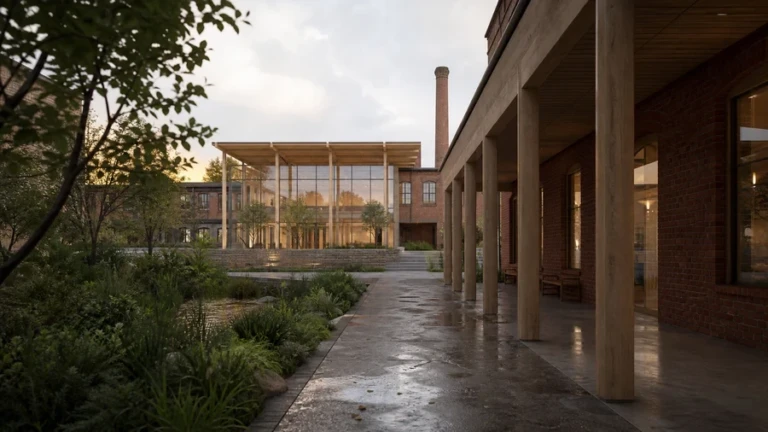
Twinmotion 2026.1 adds practical controls rather than one headline renderer: photo matching for real sites, automatic edge softening, lighting channels, camera focus behavior, editable particle effects, and persistent library locations. This guide explains where each feature earns a place in an architectural workflow—and where its limits matter.
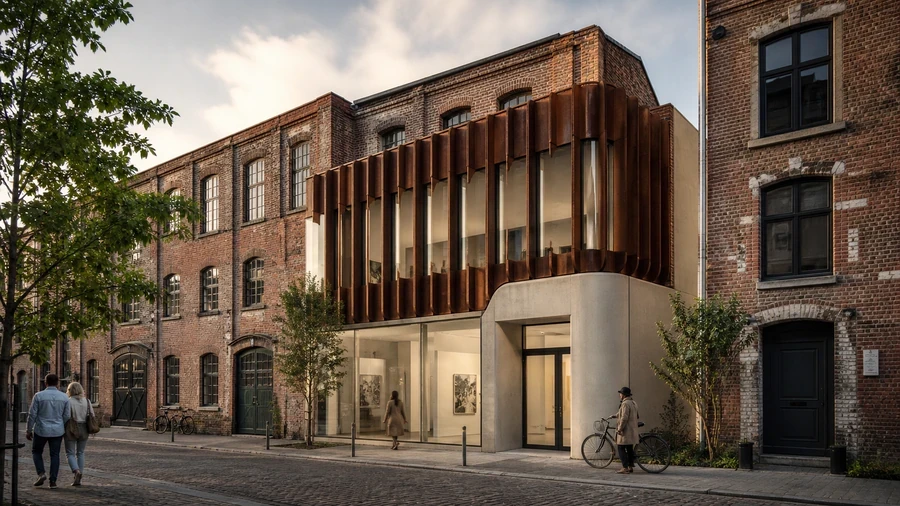
The six Twinmotion 2026.1 changes that matter most
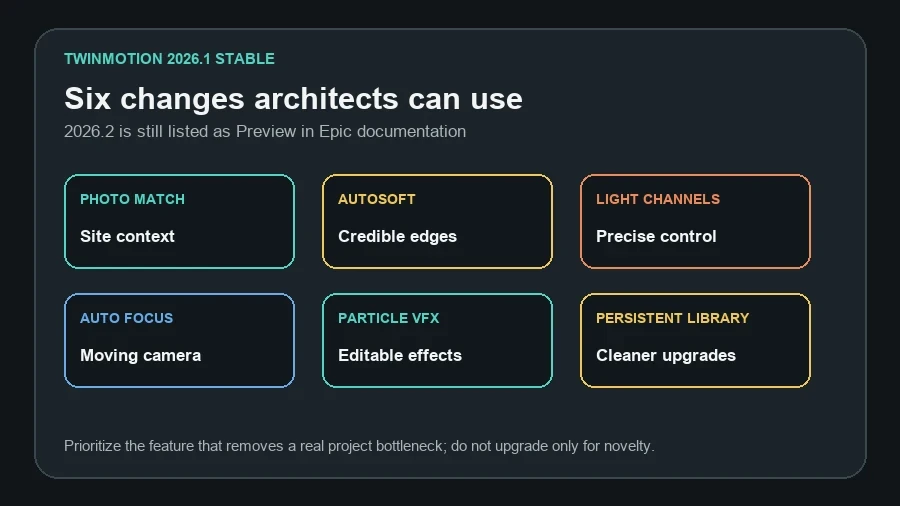
Photo matching and Autosoft have the widest architectural value because they address two visible problems: a model that does not sit convincingly in a site photograph, and geometry whose mathematically sharp edges look synthetic. Lighting channels give visualization artists finer control, while camera and particle updates matter most for sequences, presentations, and atmospheric scenes.
| Feature | Best architectural use | Main caution |
|---|---|---|
| Photo matching | Planning views, context studies, before/after images | Visual match is not survey evidence |
| Autosoft | Imported furniture, facade and product edges | Wrong radius can erase intentional detail |
| Lighting channels | Interior sets, product zones, controlled accents | Channel management adds scene complexity |
| Auto Focus and bokeh | Walkthroughs and cinematic close views | Architectural documentation usually needs restraint |
| Particle VFX | Fire, fog, smoke and water context | Effects can dominate design communication |
| Persistent content paths | Studio upgrades and shared asset libraries | Still requires backup and permissions planning |
Photo matching: place a design in a real context
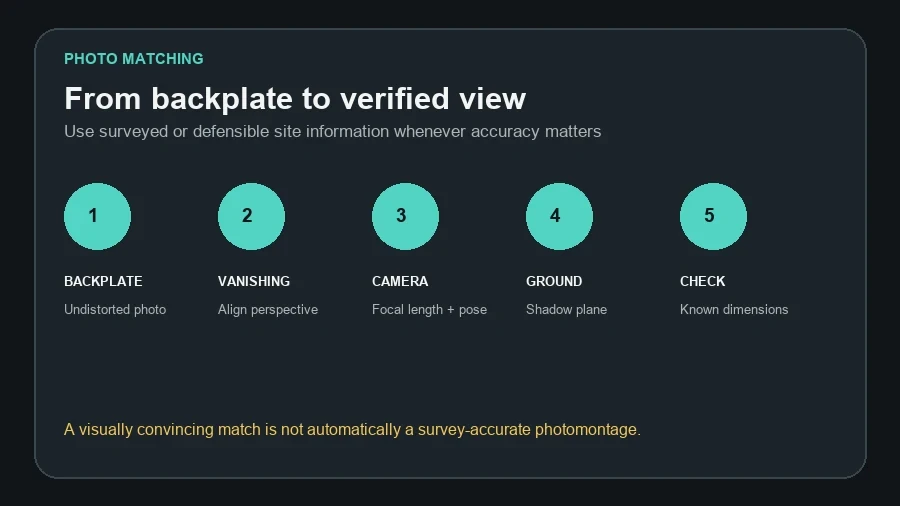
Load a background image as a backplate, identify the vanishing points with Match Perspective, and let Twinmotion adjust the camera position and focal length. A calculated ground plane can receive shadows from the 3D model, helping the addition sit in the photograph instead of floating over it.
Practical workflow
- Choose the cleanest available site photograph and record its source, date, crop and any known camera information.
- Correct obvious lens distortion before matching; curved verticals cannot be solved by vanishing points alone.
- Import the image as a backplate and align two dependable horizontal direction families.
- Check verticals, eye height and one known dimension before refining focal length.
- Enable the ground plane and compare contact shadows at doors, columns and landscape edges.
- Export a proof at delivery resolution and label the result as illustrative when the input is not survey-controlled.
Autosoft edge: remove the mathematically perfect CG look
Autosoft edge applies a rendering effect to selected objects and softens hard edges to a specified radius. Epic states that it works in Standard, Lumen, and Path Tracer modes. It is useful for concrete corners, joinery, furniture, kerbs, product objects, and imported details that should catch a narrow highlight.
Choose the radius from real scale. A small joinery edge may need only a few millimetres; a precast corner can justify more. Test a close camera and a wide camera. If silhouettes swell or panel joints disappear, the radius is too large. Do not use Autosoft to hide poorly modeled geometry or inverted normals.
Lighting channels: control which lights affect which objects
Twinmotion 2026.1 lets physical lights and scene objects interact through matching lighting channels. This can isolate a gallery display, keep background lighting off a product, or separate facade accents from foreground vegetation without moving fixtures or building duplicate lighting states.
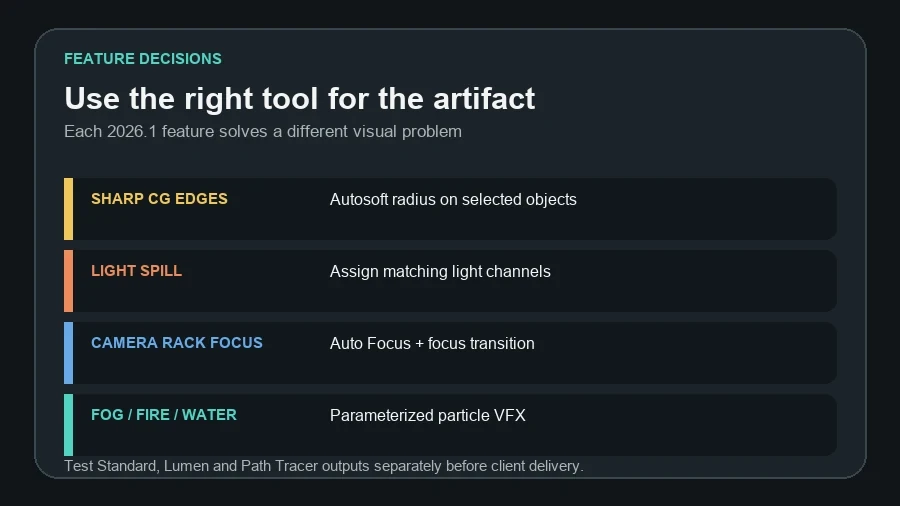
Name the channel purpose before assigning it—for example Architecture key, Exhibition display, or Landscape accent. Test a neutral camera with one channel active at a time. The feature is an artistic control, not a substitute for an accurate electrical or photometric lighting model.
Auto Focus, bokeh and barrel distortion
With depth of field active, Auto Focus can follow the screen center. You can control focus transition time and add occasional or frequent focus hunting. Two bokeh characteristics—Anamorphic oval and Petzval—change out-of-focus highlights, while Barrel distortion bends straight lines near the frame edge.
These controls are valuable for cinematic animation and product-like detail shots. For architecture, use them selectively. A facade overview normally benefits from stable focus and straight verticals; heavy Petzval blur or barrel distortion can make a technically useful view feel stylized or inaccurate.
New particle VFX and European trees
Epic rebuilt particle effects for fire, fog, smoke and water with improved visuals, optimized performance and exposed parameters. That makes it easier to adapt an effect to scale and wind rather than accepting a fixed library asset. Ten European tree species, each with three variations, add more regionally plausible planting options.
Use effects as context evidence: a small mist layer explaining microclimate, restrained smoke for an industrial study, or water behavior in a fountain sequence. Keep a clean no-effect media state so reviewers can judge architecture and circulation without atmospheric obstruction.
Persistent asset locations reduce upgrade friction
Asset-library locations now use a persistent folder structure instead of being tied to one Twinmotion version. User Library and user-generated content can therefore carry across future versions without the same copying or redownloading routine.
This is useful in a studio, but persistence is not backup. Document the folder location, permissions and ownership; test read/write access under a normal user account; and keep a versioned copy outside the live library. Avoid placing a shared library on an unreliable sync path during production.
Upgrade active projects safely
A project saved in a newer Twinmotion version cannot be opened in an older release. Install 2026.1 alongside the existing version where possible and migrate copies—not the only project file.
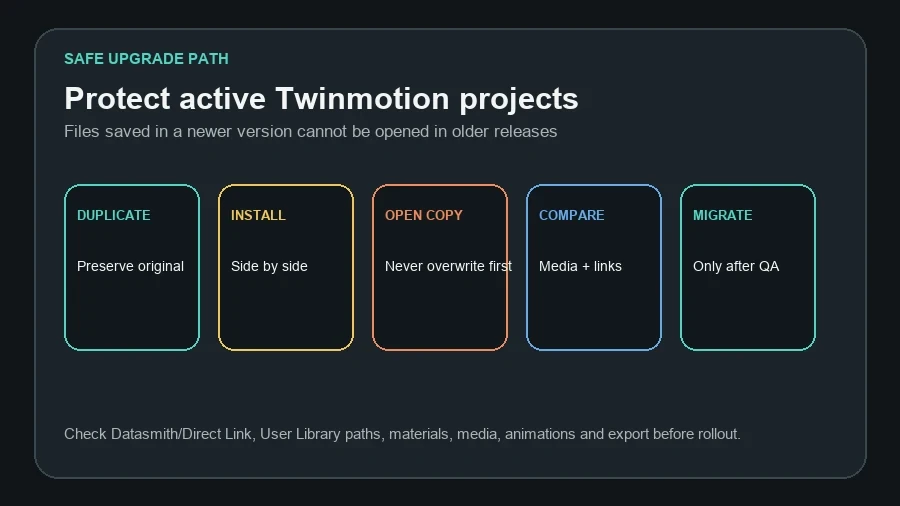
- Duplicate the project and record the current Twinmotion, Datasmith and source-application versions.
- Install 2026.1 and open only the duplicate.
- Check import hierarchy, Direct Link, materials, substitutions, vegetation, User Library objects and persistent paths.
- Compare saved images, panoramas, presentations, sequences, lighting states and render modes.
- Review known issues relevant to SketchUp, Revit, Rhino or the project’s media type.
- Migrate the production file only after a representative export passes.
Official video overview
Official Twinmotion video: What’s New in Twinmotion 2026.1. A direct link remains available if browser privacy settings block the embedded player.
Should an architecture studio upgrade now?
Upgrade now when photo matching, edge softening or lighting channels remove a current production workaround and your critical import path passes testing. Wait when an active deadline depends on a known issue, a required plug-in has not been validated, or 2026.1 offers no benefit to the current deliverable.
- The original project remains untouched.
- Direct Link or imported geometry updates correctly.
- Materials and substitutions survive reimport.
- Photo-matched cameras keep their intended framing.
- Lighting channels are named and documented.
- Standard, Lumen and Path Tracer outputs have been compared.
- User Library and persistent paths are backed up.
- One representative final export has passed.
FAQ
Is Twinmotion 2026.2 the latest version?
Epic lists 2026.2 as Preview at the time of verification. Twinmotion 2026.1 remains the latest stable feature release used for this production guide.
Does Autosoft change imported geometry?
Epic describes it as a rendering effect applied to selected objects. Treat it as a visual control and keep the source model’s physically important bevels where downstream geometry accuracy matters.
Can photo matching be used for planning submissions?
It can support a contextual image, but the evidential standard depends on jurisdiction. Use known camera and survey control, disclose assumptions, and obtain specialist verification when required.
Will persistent asset folders replace backups?
No. They reduce version-to-version copying. They do not protect against deletion, corruption, permission changes or sync conflicts.
Official sources
Continue Exploring